Verified by AI SoloHR Compliance & Editorial Team (U.S. Employment Law & Regulatory Compliance Research Group)
Last Audit: Sep 8, 2026 20:57
Free FMLA Tracking Spreadsheet Template vs. Automated Software (2026)
Click to expand
For small businesses approaching the 50-employee threshold, managing leaves of absence under the Family and Medical Leave Act (FMLA) is a major operational challenge. In an effort to keep costs low, many solo HR managers and business owners rely on a manual spreadsheet to record employee leave hours, track eligibility dates, and calculate remaining balances.
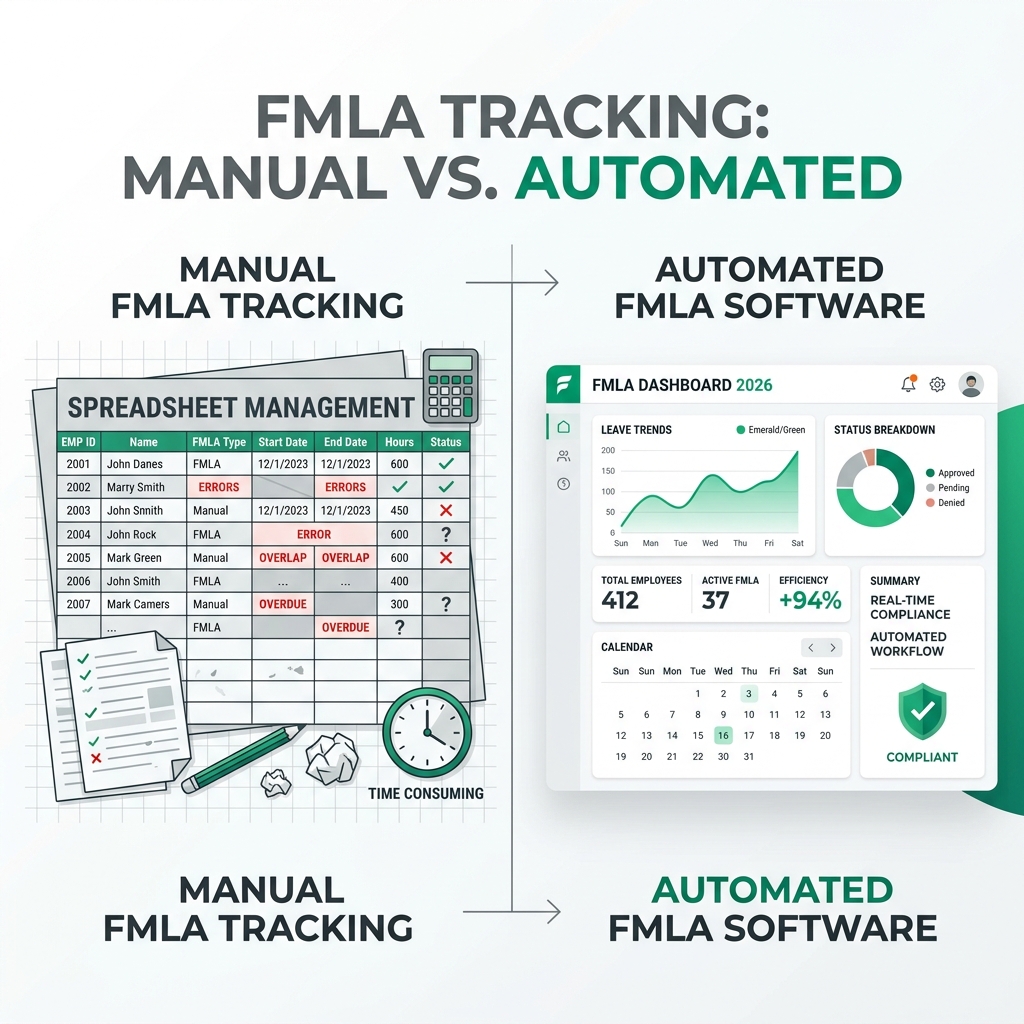
While a spreadsheet is a cost-effective starting point, manual tracking introduces serious compliance and regulatory risks. In 2026, progressive organizations are evaluating the tradeoffs of utilizing a free fmla tracking spreadsheet versus transitioning to automated software.
Sources and review notes
This article is written for U.S. small-business HR teams in 2026 and should be checked against your own policy, state requirements, and counsel guidance before use in a contested employment decision. AI SoloHR provides workflow structure, reviewed drafting support, and educational resources; it does not provide legal advice or make final employment decisions.
Statutory Sources & Regulatory Citations
This compliance document references official regulatory guidance from federal employment enforcement agencies:
1. The Free FMLA Tracking Spreadsheet Template Framework
Click to expand
If your organization is tracking leaves manually, your document must be designed systematically to capture all critical FMLA metrics.
Setting Up Your Manual Leave Balance Columns
To structure an effective fmla tracking sheet, your grid must separate basic employee data from specific leave case records. At a minimum, your columns should include:
Employee Name and Department.
Initial Leave Request Date and Eligibility Status (12 months of service and 1,250 hours worked).
Leave Type (Continuous or Intermittent).
DOL Form WH-381 (Eligibility Notice) and WH-382 (Designation Notice) delivery dates.
Completed medical certification (Form WH-380) receipt date.
Deducted hours and remaining balance.
We at AI SoloHR recommend setting up an additional column to calculate the exact 15-day certification deadline automatically, ensuring you follow up on late doctor notes promptly.
Why Excel Formulas Struggle with 12-Month Rolling Cycles
The biggest technical limitation of a free fmla tracking spreadsheet template is calculating the 12-month rolling backward period. FMLA regulations allow employers to calculate leave availability by looking backward exactly 12 months from the day any leave is requested.
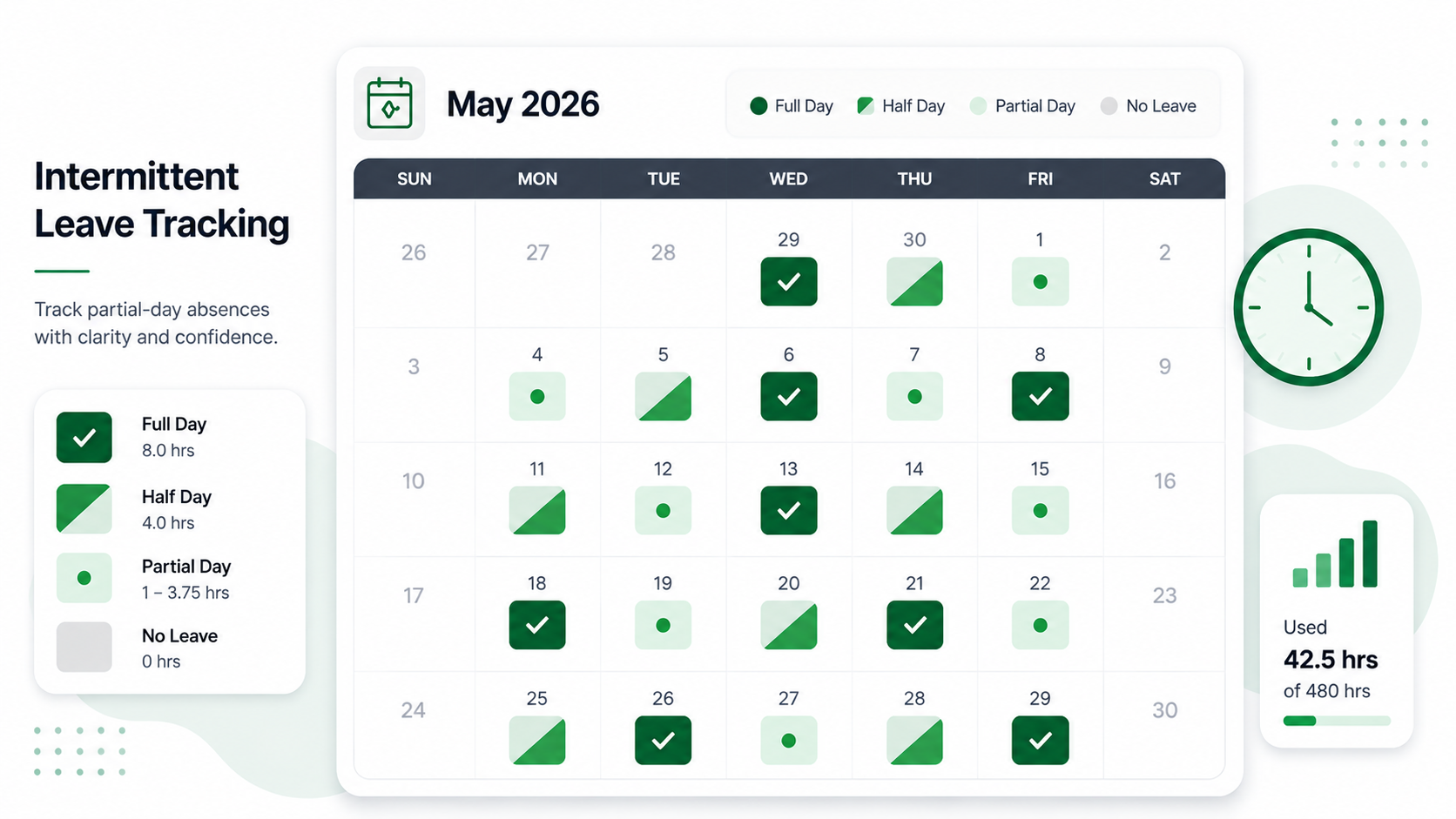
Doing this calculation manually for employees taking intermittent leave requires complex, nested Excel formulas. If an employee takes off a few hours here and there, the formula must calculate a dynamic lookback for each specific day. When rows are sorted, copied, or deleted, these formulas easily break, resulting in incorrect leave balances and serious compliance violations.
2. Upgrading from Spreadsheet Grids to Cloud Automation
Click to expand
As your company scales past 50 employees, manual spreadsheet tracking becomes a significant administrative bottleneck and a source of legal risk.
Security and Audit Vulnerabilities of Shared Files
A major compliance issue with spreadsheets is the lack of version control and data security. FMLA requires employers to treat all medical records and employee health certifications as highly confidential. Storing this information in a shared spreadsheet or an unsecured local drive exposes your business to privacy breaches under ADA and HIPAA guidelines.
Furthermore, spreadsheets do not provide a verified time-stamp log. If an employee disputes their remaining balance or claims you failed to send their Eligibility Notice on time, a spreadsheet provides no defensible proof of your actions. A lack of verifiable records makes it difficult to defend against wrongful termination or retaliation claims.
Eliminating Administrative Calculation Risks with AI SoloHR
Upgrading to dedicated software to track fmla is the safest way to protect your business. AI SoloHR replaces manual grids with an automated compliance workflow.
Our platform automatically calculates rolling-backward hourly balances, issues digital DOL notices, and tracks document deadlines. When an employee takes intermittent leave, they can log their hours directly, and the software updates their remaining balance in real-time.
By moving from spreadsheets to cloud automation, you secure employee medical files, build an unalterable audit trail, and eliminate administrative errors.
Frequently Asked Questions
How do you calculate FMLA rolling backward hours in Excel?
To calculate rolling backward hours in Excel, you must write a complex formula (such as SUMIFS) that sums all FMLA hours taken by an employee between TODAY() and TODAY()-365, and then subtracts that sum from their annual hour pool (e.g. 480 hours). However, these formulas often break when employees have variable weekly schedules or overlapping claims.
What is the penalty for inaccurate FMLA tracking?
Inaccurate FMLA tracking can result in severe Department of Labor (DOL) penalties, including paying double damages for lost wages, paying employee legal fees, and being forced to reinstate terminated workers. In cases of willful violations, individual managers can also be held personally liable for damages.
Legal Disclaimer: The information provided on this website does not, and is not intended to, constitute legal advice; instead, all information, content, and materials available on this site are for general informational purposes only. Information on this website may not constitute the most up-to-date legal or other information.